
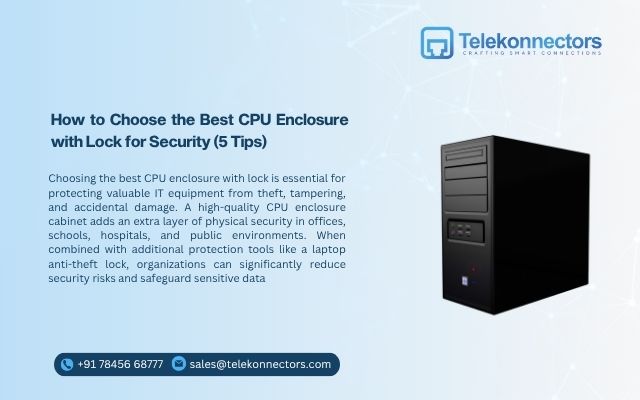
How to Choose the Best CPU Enclosure with Lock for Security (5 Tips)
Choosing the best CPU enclosure with lock is essential for protecting valuable IT equipment from theft, tampering, and accidental damage. A high-quality CPU enclosure cabinet adds an extra layer of physical security in offices, schools, hospitals, and public environments. When combined with additional protection tools like a laptop anti-theft lock, organizations can significantly reduce security risks and safeguard sensitive data.
Physical security is often overlooked in modern IT setups. While companies invest heavily in software protection, hardware security deserves equal attention. CPUs store critical business data and power daily operations. Protecting them should be a priority.
If you are planning to invest in a secure CPU enclosure cabinet, here are five key tips to help you choose the right one.
Why CPU Security Should Never Be Ignored
Before exploring the tips, it is important to understand why CPU protection matters. In many workplaces, CPUs are placed under desks or in open spaces. This makes them easy targets for theft or tampering. Even a single stolen CPU can result in financial loss, operational downtime, and potential data exposure.
A CPU enclosure with lock prevents unauthorized access. It restricts physical handling of the system. It also protects internal components from accidental damage. In environments like educational institutions, government offices, banks, or shared workspaces, physical device security is critical. Now let us explore the five key tips.
Tip 1: Choose Strong and Durable Build Quality
The first and most important factor is durability. A CPU enclosure cabinet should be made from strong materials such as heavy-duty steel. Thin metal or low-quality materials can be easily damaged or forced open.
Look for features such as:
- Solid welded construction
- Reinforced edges
- Tamper-resistant design
- Powder-coated finish for corrosion resistance
Durability ensures long-term protection. It also reduces maintenance costs. When selecting a CPU enclosure with lock, test the overall build. It should feel stable and secure. Weak frames compromise security. For high-risk environments, a heavy-duty design is always the better choice.
Tip 2: Check the Locking Mechanism Quality
The lock is the heart of the enclosure. A poor locking system defeats the purpose of installing a CPU enclosure cabinet. Choose enclosures with high-quality locking mechanisms such as:
- Key locks with secure cylinders
- Dual locking systems
- Industrial-grade locking hardware
Some advanced models also offer master key options for IT administrators. This allows controlled access without compromising security. The lock should not feel loose or fragile. It should operate smoothly and firmly.
For additional protection in workstations, pairing a CPU enclosure with lock with a laptop anti-theft lock creates a complete physical security solution. Layered security is always more effective than a single protective measure.
Tip 3: Ensure Proper Ventilation and Heat Management
Security should never compromise performance. CPUs generate heat during operation. Poor airflow can lead to overheating. This affects system performance and hardware lifespan. When selecting a CPU enclosure cabinet, check for:
- Ventilation panels
- Perforated side walls
- Adequate airflow design
- Compatibility with cooling systems
Good ventilation maintains system efficiency while keeping the device secure. A well-designed CPU enclosure with lock balances security and functionality. It protects the hardware without restricting airflow. Always verify that the enclosure supports your specific CPU dimensions and cooling requirements.
Tip 4: Evaluate Installation and Accessibility
An ideal enclosure should be secure yet practical. Installation should be simple and adaptable to different setups. Look for options such as:
- Wall-mounted installation
- Under-desk mounting
- Floor mounting
- Adjustable brackets
The CPU enclosure cabinet should allow easy cable management. It should include openings for power cables, network wires, and peripheral connections. Accessibility matters for IT maintenance. Authorized personnel should be able to access the CPU easily when required. However, unauthorized users should not.
Some models provide removable panels for maintenance access. This improves convenience without compromising security. In environments where laptops are also used, installing a laptop anti-theft lock alongside CPU enclosures ensures overall workstation protection.
Tip 5: Match the Enclosure to Your Environment
Different environments require different levels of protection. For corporate offices, a standard CPU enclosure with lock may be sufficient. In public spaces such as libraries or training centers, higher security is recommended.
Consider these factors:
- Location risk level
- User accessibility
- Type of data handled
- Foot traffic in the area
For schools and labs, sturdy CPU enclosure cabinets prevent accidental handling by students. For banking or healthcare environments, security standards must be higher. If the organization uses both desktops and laptops, combining CPU enclosures with laptop anti-theft lock systems strengthens overall device security. Matching the enclosure to the environment ensures optimal protection.
Additional Factors to Consider
While the five tips above are essential, a few additional aspects can help you make a smarter choice.
Size Compatibility
Always measure your CPU before purchasing. The enclosure should fit perfectly. Too tight may block ventilation. Too loose may allow movement. Adjustable models offer flexibility for different CPU sizes.
Cable Management
Messy cables can create safety hazards. Choose a CPU enclosure cabinet with proper cable routing options. Neat cable management improves both safety and appearance.
Aesthetic Design
Security equipment should blend with the workspace. Modern CPU enclosures with lock designs are sleek and professional. A clean design maintains office aesthetics while ensuring safety.
Why Combine CPU Enclosures with Laptop Security
Many offices use a combination of desktops and laptops. While CPU enclosures protect desktop systems, laptops remain vulnerable without additional security. A laptop anti-theft lock secures portable devices to desks or fixed points. It prevents quick grab-and-go theft attempts.
When organizations combine:
- CPU enclosure with lock for desktops
- laptop anti-theft lock for portable devices
They create a comprehensive workstation security system. Layered protection minimizes risks significantly.
Benefits of Installing a CPU Enclosure Cabinet
Investing in a CPU enclosure cabinet offers multiple benefits.
Theft Prevention: Physical barriers discourage unauthorized removal of hardware.
Data Protection: Preventing access to hardware reduces the risk of data extraction.
Reduced Downtime: Secure hardware reduces unexpected losses and operational interruptions.
Long-Term Cost Savings: Durable enclosures reduce replacement and repair costs.
Professional Security Image: Visible security measures enhance workplace discipline and safety culture.
Common Mistakes to Avoid
When selecting a CPU enclosure with lock, avoid these common mistakes:
- Choosing low-cost, thin metal cabinets
- Ignoring ventilation requirements
- Overlooking installation flexibility
- Selecting weak locking systems
- Buying without measuring CPU dimensions
Security should not be compromised for minor cost savings.
Who Needs CPU Enclosures the Most?
Certain sectors benefit significantly from CPU security solutions.
- IT companies
- Educational institutions
- Government offices
- Healthcare centers
- Banking and financial services
- Training labs
- Public libraries
In these environments, both CPU enclosure cabinet systems and laptop anti-theft lock solutions are valuable investments.
Long-Term Impact on Workplace Security
- Physical security is part of a larger security strategy.
- Software firewalls and antivirus tools protect digital systems. However, physical protection ensures hardware integrity.
- Installing a CPU enclosure with lock demonstrates proactive risk management.
- Over time, reduced theft incidents and improved asset control create measurable financial benefits.
- Organizations that invest in hardware security experience fewer disruptions.
Final Thoughts
Choosing the best CPU enclosure with lock requires careful consideration. Focus on durability, locking strength, ventilation, installation flexibility, and environmental suitability.
A strong CPU enclosure cabinet from Telekonnectors protects your desktop systems from theft and tampering. When combined with a laptop anti-theft lock, it creates a complete physical security framework for modern workplaces.
Security is not only about preventing loss. It is about ensuring uninterrupted productivity and protecting valuable business assets. Investing in the right enclosure today can prevent major problems tomorrow.
Physical security may seem simple, but its impact is powerful. When equipment is protected, teams can focus on what truly matters like performance, innovation, and growth.